作者: IrvineKwang


========================================================================
Install instructions:
1. Remove USB 3.0 card from your computer (PCIExpress/ExpressCard)
2. Download this kext and save it on your desktop.
3. Copy this kext from desktop to the following path:
/System/Library/Extensions/
4. Open Terminal and type the following commands:
a) sudo chmod -R 755 /System/Library/Extensions/PXHCD.kext
b) sudo chown -R root:wheel /System/Library/Extensions/PXHCD.kext
c) sudo rm -R /System/Library/Extensions.kextcache
d) sudo rm -R /System/Library/Extensions.mkext
NOTE: if step c) or d) returns any error don't worry just proceed
e) sudo reboot
5. After reboot open diskutilty and repair permissions
6. Now shutdown your computer
7. Install or connect your USB 3.0 card (PCIExpress/ExpressCard)
8. Turn on your computer
9. You should have fully functional/working USB 3.0 card
10. If you still have problem open System Profiler and check Extensions (whether the
PXHCD.kext is loaded successfully or not..)
11. If it is not listed open terminal and type:
sudo kextload -v /System/Library/Extensions/PXHCD.kext
12. Now check your System Profiler whether the USB Super-Speed Bus is present or not.
13. If present ENJOY else BAD LUCK
======================================================================
USB 3.0 Lacie kext (Patched by Modbin!) ==> http://www.osx86.net/downloads.php?do=file&id=612
driver 也可以自已 patch, 只是麻煩了點,改好的可以很輕易的找到。
不過,每個版本多多少少都有點問題,要看自已的機子而定。
以我的 2007 MacBook Pro 15.4" 來說,只能用 1.01 版的,其他的都會造成不同的問題。
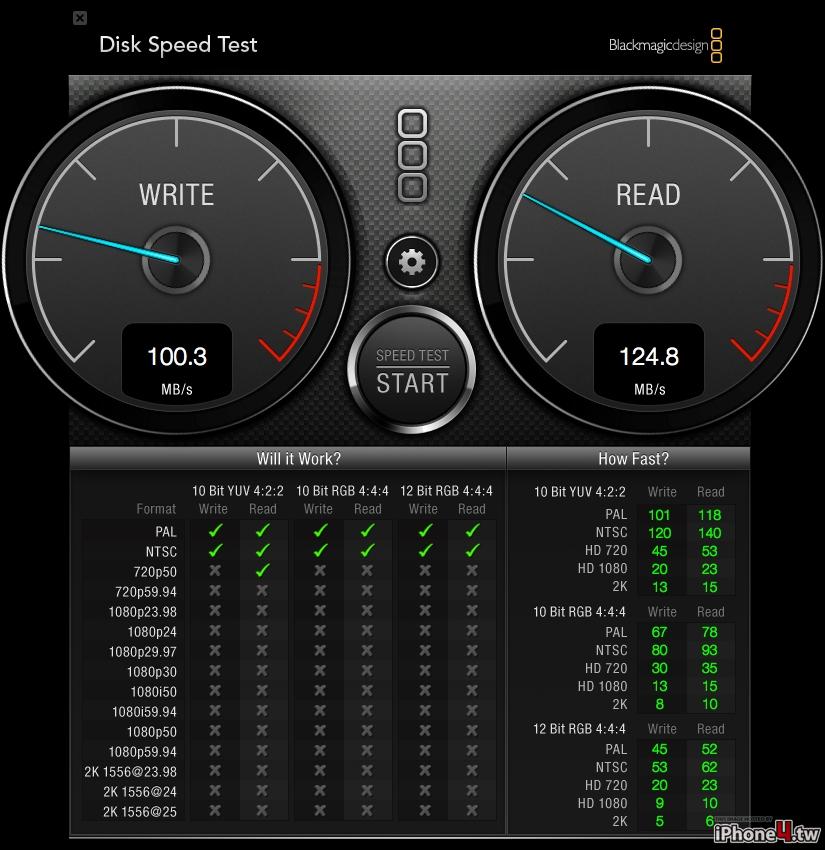
我的 MacBook Pro 是 SATA,所以最快也只有受到限制,read:122MB/s, write: 82.3MB/s
所以版主的速度算不錯了。
我之在友版發的文章,請參考
http://www.mobile01.com/topicdetail....7&p=1#30475930
昨天升級Mountain Lion,USB3.0 Express Card 驅動程式就失效了。
網路上找到可以繼續使用的驅動程式,就分享給這裡的夥伴嚕。
備註1:先備份,要備份,無論如何先備份。
備註2:確定你的USB 3.0 Express Card 是使用 NEC 控制晶片。
備註3:這修改過的驅動程式(有些是DP3版本抽取出來),目前可以正常運作,不知道有無後遺症,後果請行負責,所以請先備份。
總共是三個檔案:
1.Kext_Utility.app.v2.5.1 ==>將修改過的kext檔案放到,下列目錄/System/Library/Extensions。
2.PXHCDv1.0.8 kext ==> 修改過的 LaCie Usb3.0 express card 驅動程式。
3.DP3_USB_Kexts ==> 修改過的 必要檔案 for LaCie 驅動程式。
執行步驟:
1. 執行 Kext Utility
2. 將解壓縮的 PXHCD.kext 拖拉到 Kext Utility 的視窗中,然後請耐心等並觀察視窗內的文字。
出現" All Done ,Have a Nice Day(Night),Enjoy.. 代表執行完畢。
3. 重複"2" 的步驟,將DP3_USB_Kexts 內的兩個 kext 檔 分別拖拉到 Kext Utility 內,並執行完成。
4. 重開機。
5. 重新修復權限。
6. 開始使用 USB3.0 。
Lacie 支援10.8的Driver已經出來了,網址在此:
http://www.lacie.com/au/support/driv...r.htm?id=10239
目前似乎還沒人去patch他,我自己是有試著去patch,不過我不曉得有沒有成功,檔案在此:
https://www.dropbox.com/s/5vendxpbit...PXHCD.kext.zip
這是我自己拿lacie支援10.8的檔案去patch的,我不確定能不能用,我的express card還沒到手,可能要麻煩手邊有的人先試看看。
謝謝您的檔案,我稍後會測試並回報。
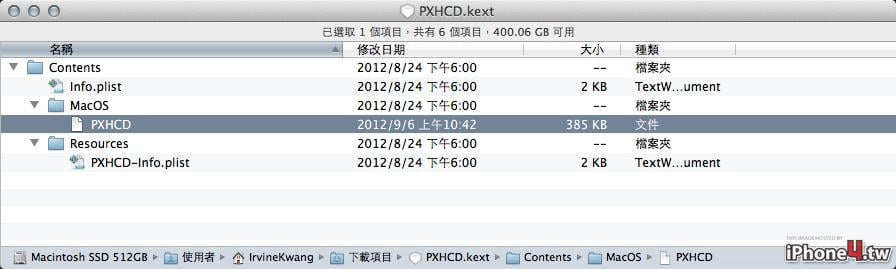
註:已安裝測試,此PXHCD.kext無法正常使用,您所pacth的檔案儲存方式有誤,變成文字檔了。
另外請問您是怎麼Patch呢?可以指導一下嗎?
以及你Patch的是1.0.10 LaCie USB 3.0 的驅動程式嗎?
非常感謝!
此篇文章於 09-10-2012 11:10 被 IrvineKwang 編輯。
我去http://www.osx86.net又抓了一個新的PXHCD.kext,
然後用Kext Utility安裝。修復權限後,終於又能使用USB3.0 ExpressCard囉。
附上測試圖及相關檔案。
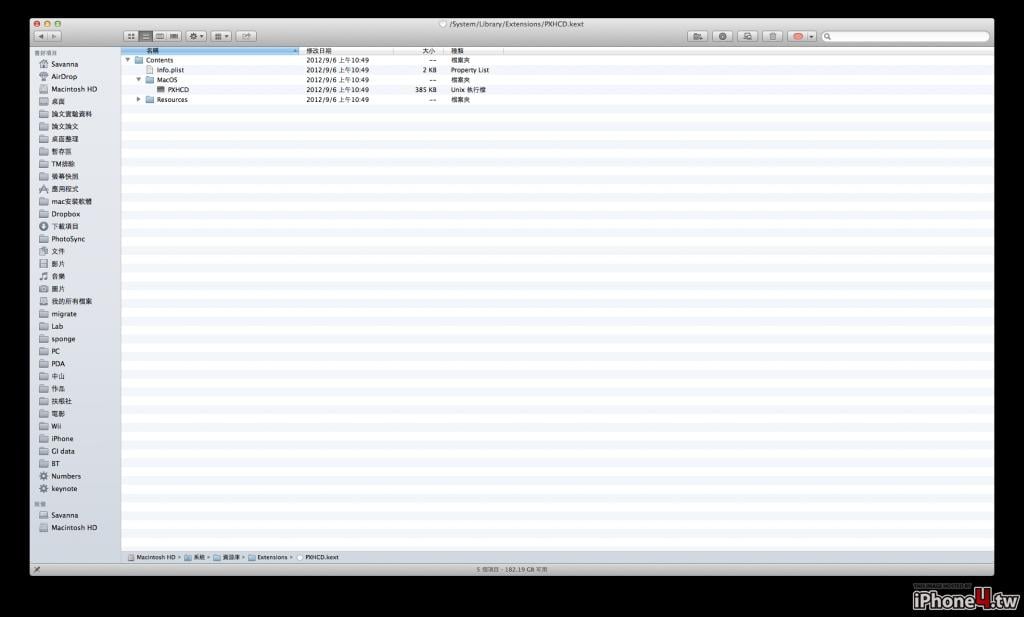
我電腦裡面的檔案是顯示正常的Unix執行檔耶
我也不知道怎麼會這樣,我猜可能是檔案的權限有設定錯誤,unix上面檔案是用權限去決定該檔案是否為文件還是執行檔。
至於Patch的方法,我是利用Hex Fiend這軟體去打開Unix的執行檔讀取裡面的機碼,然後利用別人patch過的PXHCD與原始未patche過的PXHCD去比對內部有什麼差別,後來還真的給我找到被人修正過的兩個機碼,我把它的位置與機碼記起來後,再到Lacie 1.0.10的PXHCD機碼裡面去找到相同的字串去做修正。如果我做的沒錯的話,其實裡面只有兩個字串要修正。
Anyway,有人釋出最新版的PXHCD就好,哈哈~
 發文規則
廣 告
發文規則
廣 告